marina spins up kind clusters on your Mac in about a minute, and makes their Services type LoadBalancer directly accessible from your laptop.
nginx.default.dev.demo.internal — and a browser-trusted certificate, with no domain to own.$ marina up ✓ Lima VZ instance ready (38s) ✓ Docker provisioned (4s) ✓ macOS route 172.30.0.0/16 added ✓ Registry mirrors docker · quay · gcr ✓ Local DNS *.demo.internal $ marina cluster create dev ✓ kind cluster dev api :7001 ✓ MetalLB pool 172.30.1.16-254 ✓ kubeconfig merged ~/.kube/config $ kubectl apply -f nginx.yaml deployment.apps/nginx created service/nginx exposed $ kubectl get svc nginx NAME TYPE EXTERNAL-IP PORT(S) nginx LoadBalancer 172.30.1.200 80:31408/TCP $ curl http://nginx.default.dev.demo.internal/ <h1>Welcome to nginx!</h1> ← from your Mac, no port-forward ▌
Why
Up to 99 kind clusters, side by side.
A whole lab from one manifest.
LoadBalancers reachable, no port-forward.
*.demo.internal — no domain to buy.
Wildcard certs per cluster and fleet.
Lima on Virtualization.framework.
Pull-through mirrors, no Hub limits.
Beside OrbStack, Docker Desktop, Colima.
Demo
marina up to a named, trusted Service.One command brings up the VM, the routing, the registry mirrors, the local DNS zone and its CA. A second creates a cluster in about a minute. Every LoadBalancer Service then has a name — and HTTPS your browser trusts.
$ marina up ✓ Lima VZ VM running vzNAT · lima0 ✓ Docker + kind network 172.30.0.0/16 ✓ Registry mirrors docker · quay · gcr · pkg.dev ✓ macOS route 172.30.0.0/16 → lima0 ✓ Local DNS *.demo.internal ✓ Local CA trusted in the System keychain $ marina cluster create dev ✓ kind cluster dev api :7001 ✓ MetalLB pool 172.30.1.x ✓ ExternalDNS *.dev.demo.internal ✓ TLS wildcard Secret marina-wildcard-tls $ kubectl expose deploy web --port 80 --type LoadBalancer service/web exposed $ marina dns list NAME IP web.default.dev.demo.internal 172.30.1.1 $ curl http://web.default.dev.demo.internal/ <title>Welcome to nginx!</title> ← from your Mac, by name
Upgrading marina? After brew upgrade --cask
marina, re-create the VM so the new release re-provisions it:
marina destroy && marina up. The host-backed image cache
survives, so it rebuilds fast. See the
docs.
Under the hood
Your Mac, a Lima VZ guest, and a Docker bridge — that's the entire topology. marina adds a host route into the kind bridge CIDR, an iptables nat-exemption inside the VM, and DOCKER-USER forward rules so kind→host traffic exits without SNAT. Source IPs are preserved end to end.
curl 172.30.1.200/ on your Mac → vzNAT → guest lima0 → Docker bridge → MetalLB VIP. No SNAT, no port-forwarding, no VPN.
Get it
$ brew tap bcollard/marina
$ brew trust --tap bcollard/marina
$ brew install --cask marina
$ marina up
# Bring up the VM + Docker + routing + registries (idempotent)
$ marina up
# Create clusters
$ marina cluster create dev
$ marina cluster create staging
# List, switch, delete
$ marina cluster list
$ kubectx dev
$ marina cluster delete # interactive multi-select picker
# End-to-end smoke test
$ marina cluster e2e-test-nginx
# Stop the VM (preserves clusters and registry cache)
$ marina down
The macOS app
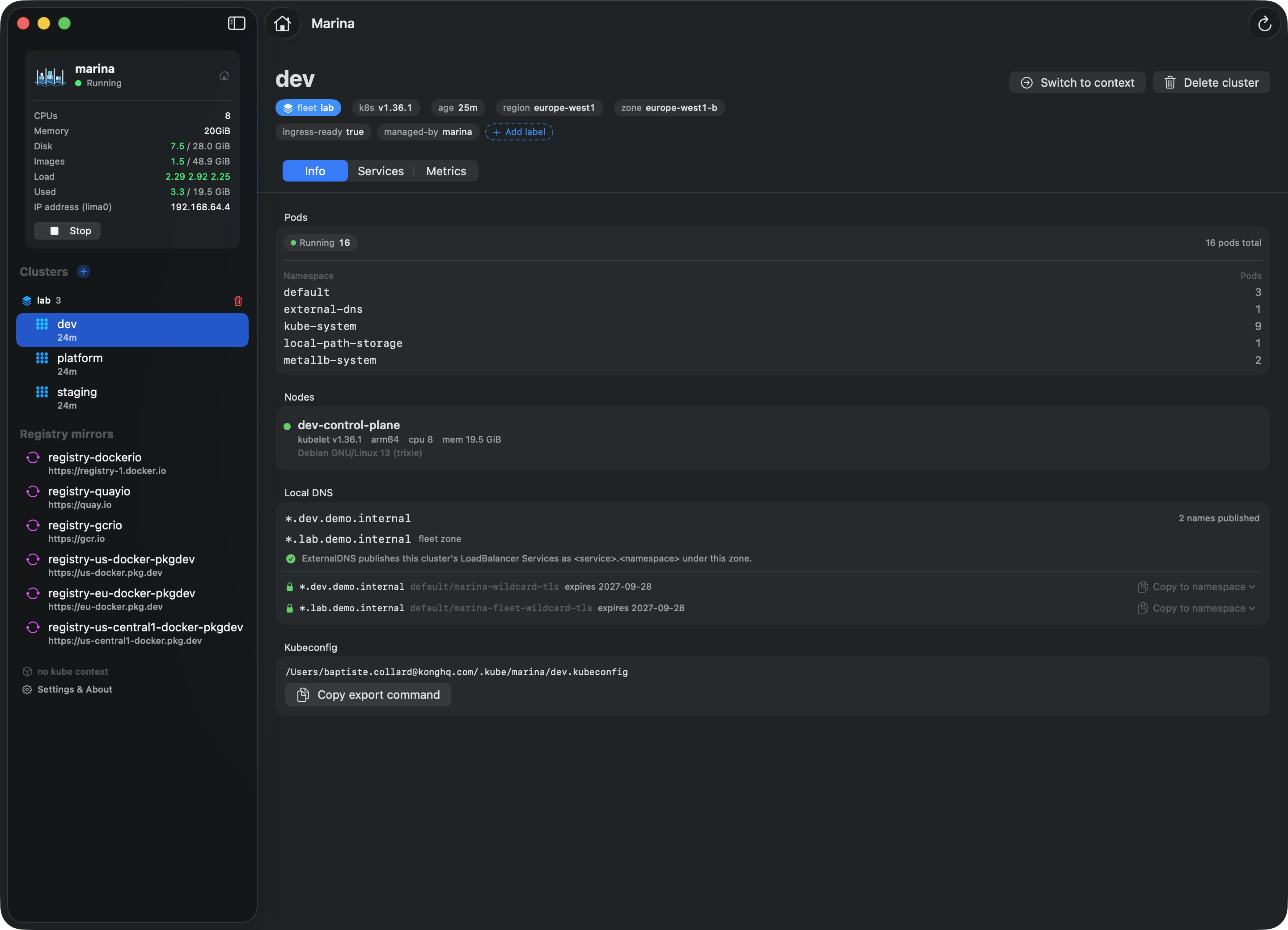
marina-ui is a SwiftUI companion app: a dashboard for every cluster, registry, and VM resource marina manages — with live charts, kubeconfig copy buttons, and a cluster creator that streams the build log as it runs.
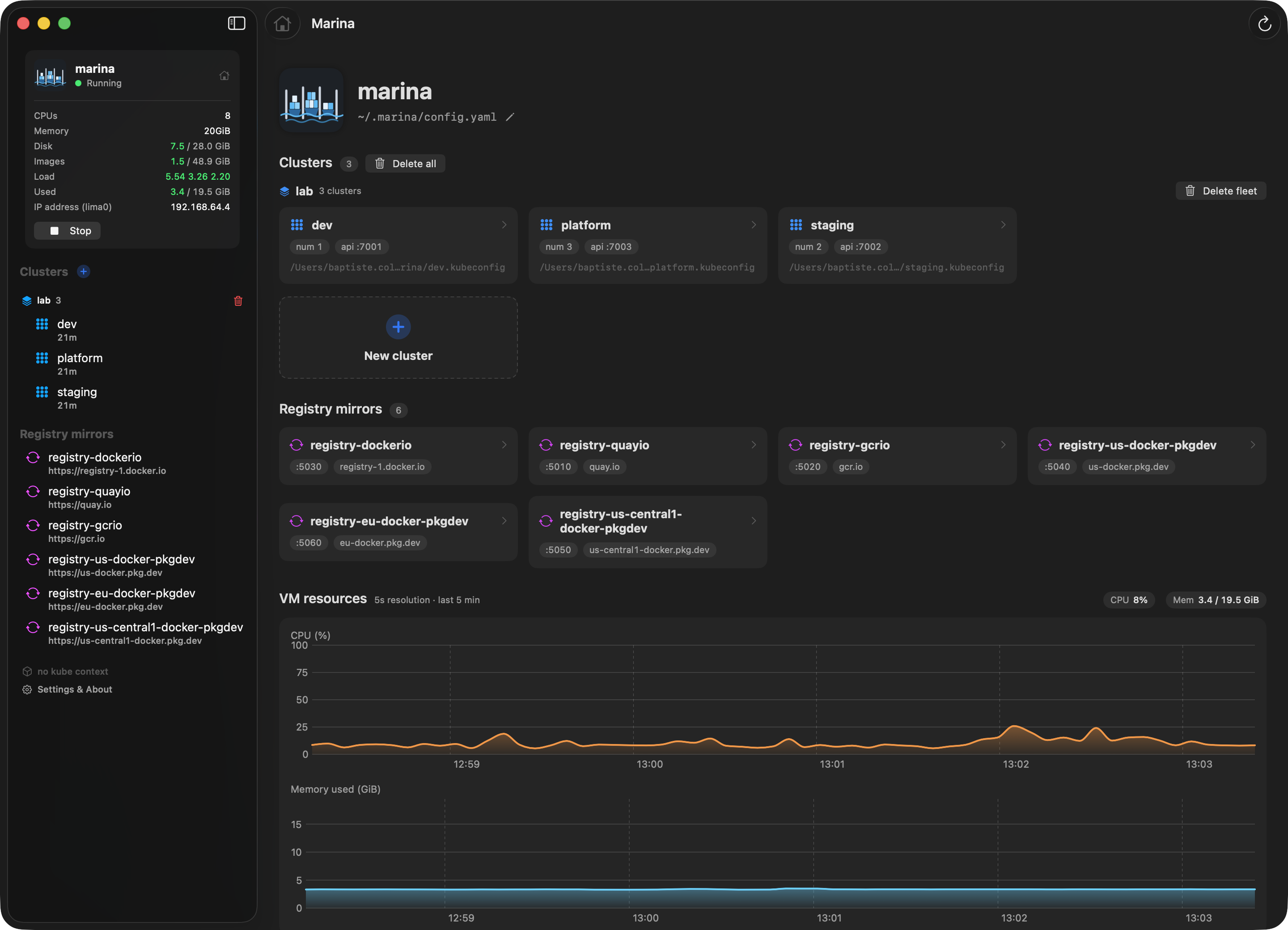
Cluster overview. Every kind cluster, its API port, kubeconfig path, age, and quick actions in one place.
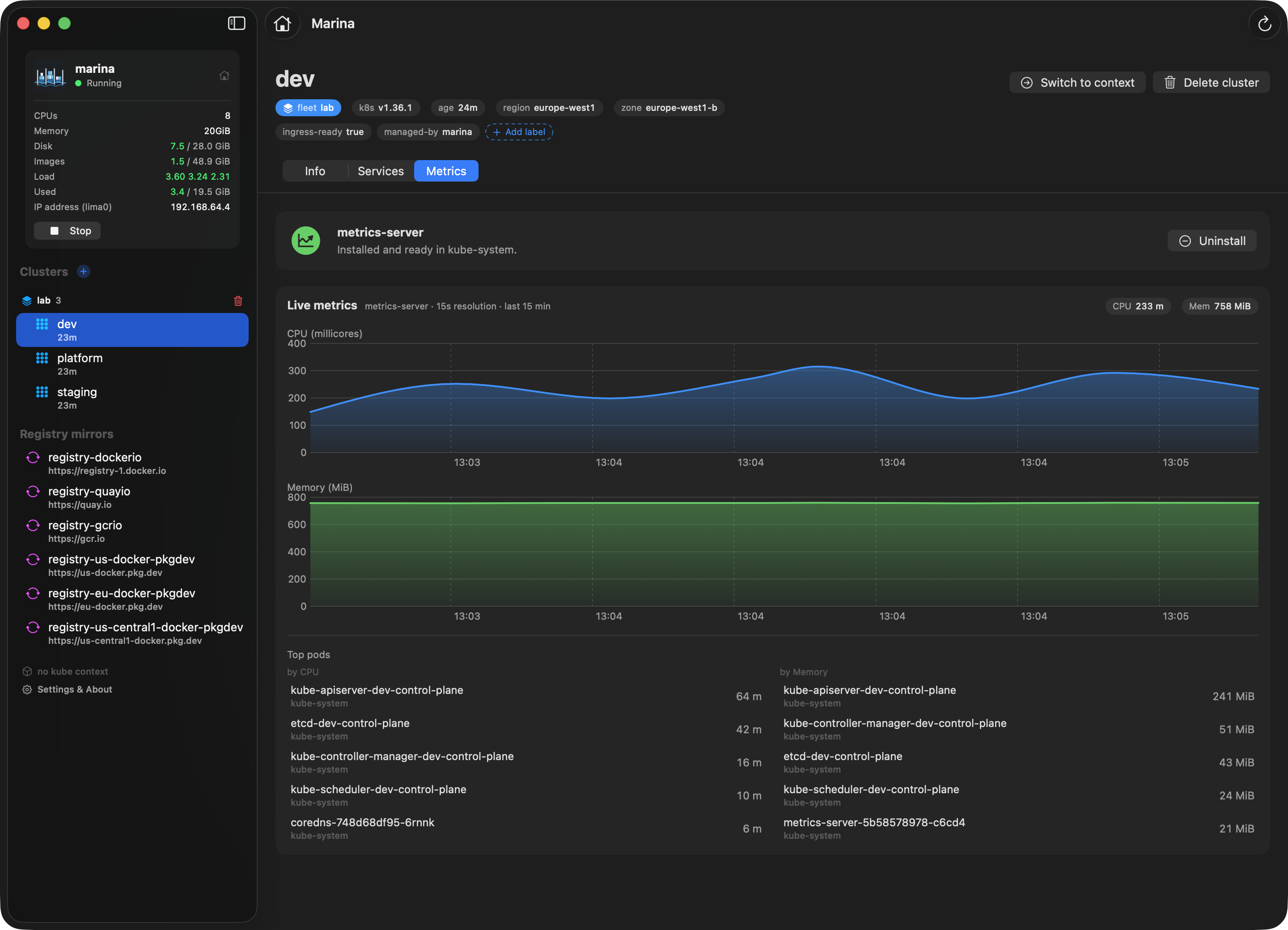
Live VM charts. CPU and memory for the Lima guest, sampled every 5 s over the SSH ControlMaster marina already maintains — read straight from /proc.
Registry mirror inspector. Cache size and image count for every pull-through mirror in ~/.marina/registry-cache/.
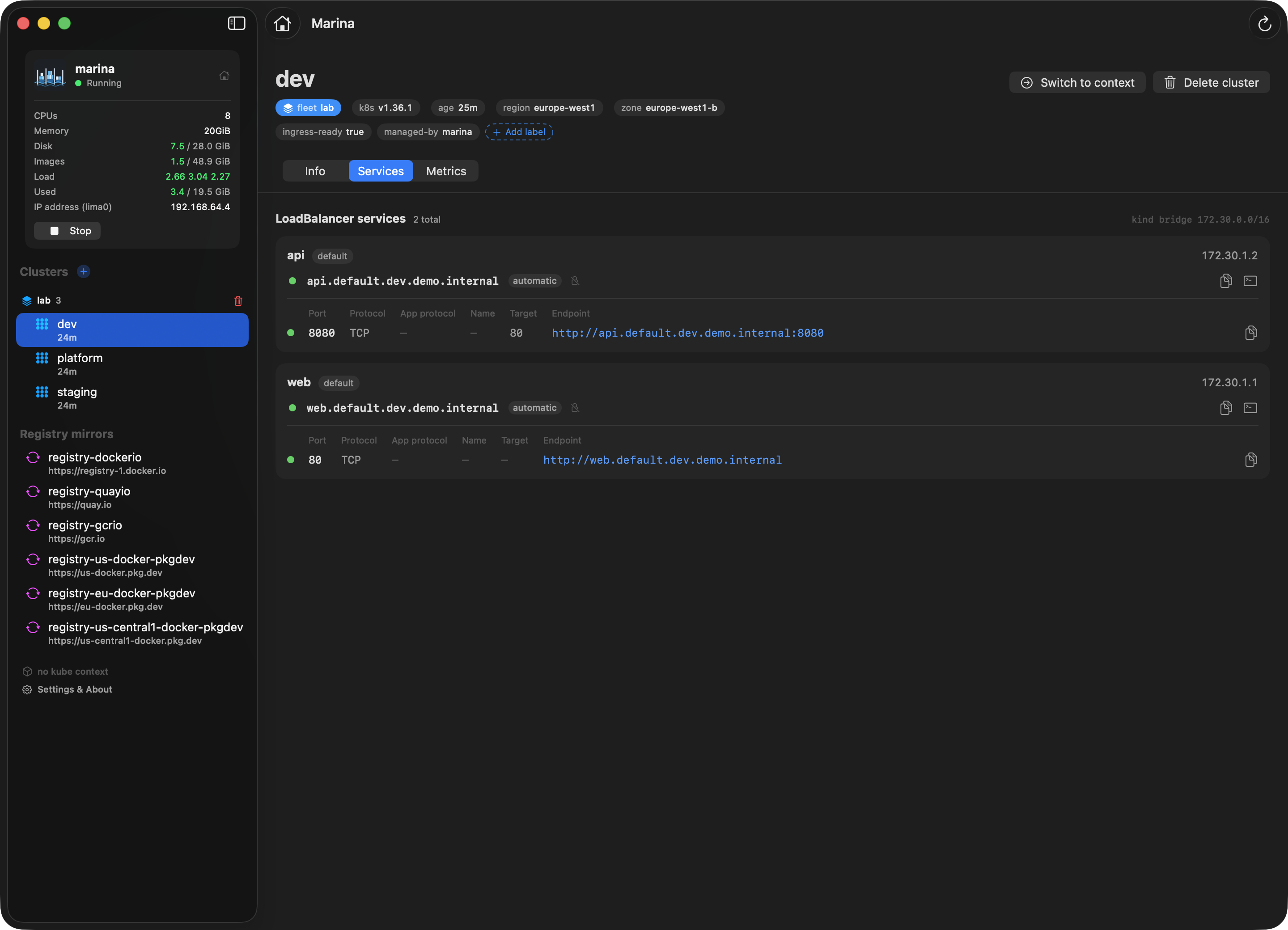
LoadBalancer probes. Every Service with an external IP gets a TCP reachability check — when it's up, the row turns into a clickable link.
$ brew tap bcollard/marina
$ brew trust --tap bcollard/marina
$ brew install --cask marina-ui
$ open -a Marina
FAQ
Yes — until v0.3. The name changed; the tool did not. If you have a klimax installation, marina migrate moves it over in one command: see Coming from klimax.
Those each solve one piece of the puzzle. marina is opinionated about the whole stack: a single CLI that owns the VM, the kind clusters, the routing, the registry mirrors, and the kubeconfig wiring. The killer feature is real-IP routing: you reach LoadBalancer VIPs directly from your Mac without port-forwarding — and by name, under demo.internal, without owning a domain. See the detailed comparisons in the repo.
Yes, out of the box. marina runs its own Lima VZ instance with a distinct vzNAT IP, so there is no IP-level conflict with other VMs. The one potential friction point — Lima port mirroring — is disabled by default (network.disablePortMirroring: true), so kubeconfigs use the VM's direct lima0 IP and never race other Lima-based tools for 127.0.0.1. Set it to false only if you run a single marina VM and prefer stable loopback kubeconfigs.
macOS 13 Ventura or later — Apple Virtualization framework (vmType: vz) is required. Built and tested on Apple Silicon.
sudo?Only twice: marina up adds a macOS host route (route add 172.30.0.0/16 …), and marina destroy removes it. Everything else — VM lifecycle, cluster create/delete, registries — runs unprivileged.
Yes. marina down stops the VM but preserves every cluster, its data, and the registry cache. marina up brings them all back. marina destroy is the explicit wipe.
No — that's exactly what the pull-through mirrors fix. After the first pull, blobs are served from ~/.marina/registry-cache/ on your laptop. The mirrors survive marina destroy.
Yes. Add username / password under any mirror in ~/.marina/config.yaml. For locally built images there's no push registry — build against the VM's Docker (eval "$(marina docker-env)") and load them into a cluster with kind load docker-image.